
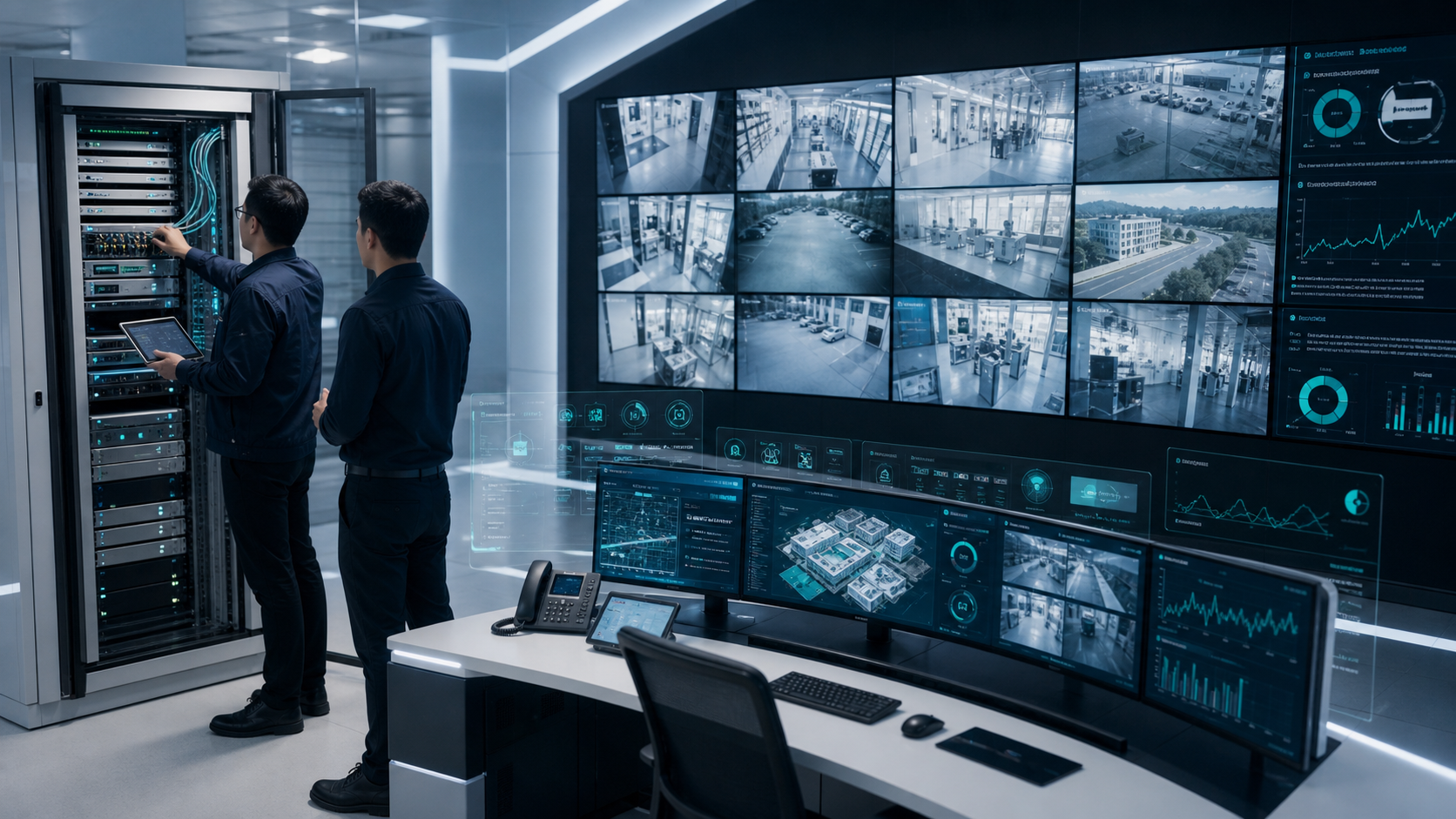
Commissioning of Centralized Server IP-Based CCTV Security Surveillance System
Centralized server IP-based CCTV systems are now expected to do more than record video. They must support live monitoring, incident response, audit trails, camera health, secure access, and, in many deployments, AI video analytics. Commissioning is the stage where design intent is tested against real operating conditions before the system is accepted for daily use.
For security teams, facility managers, smart city operators, and industrial sites, a structured commissioning process reduces blind spots, false confidence, and operational disputes after go-live. It also gives integrators and owners a clear record of what was installed, configured, tested, and handed over.
Why commissioning matters in centralized IP CCTV
A centralized CCTV architecture normally combines IP cameras, field switches, fiber or copper links, network security controls, servers, storage, video management software, operator workstations, and sometimes edge devices or AI analytics modules. Each layer may work in isolation, but the system can still fail operationally if bandwidth, time sync, recording policy, user permissions, or alert workflows are not tested end to end.
Commissioning should confirm that the system can perform under real load. This includes simultaneous live viewing, continuous or event-based recording, playback, export, alert review, camera failover behavior, and remote access where permitted. The goal is not only to prove that cameras are online, but to verify that the surveillance operation is reliable, secure, and usable.
Core components to validate
A centralized server IP CCTV system should be commissioned across several technical layers:
- Camera coverage and field of view: Confirm that each camera captures the intended zone, entrance, boundary, lane, asset, or work area with usable resolution and lighting.
- Network readiness: Validate IP addressing, VLANs, routing, switch capacity, PoE budgets, uplink bandwidth, latency, packet loss, and redundancy.
- Server and storage configuration: Check CPU, GPU if applicable, RAM, RAID/storage health, recording retention, database health, and backup policy.
- Video management workflow: Test live view, playback, search, bookmarks, export, user roles, evidence handling, and audit logging.
- Time synchronization: Ensure cameras, servers, access systems, and operator machines use a common time source for accurate incident timelines.
- Cybersecurity controls: Verify password policy, firmware baseline, disabled default credentials, network segmentation, access logging, and secure remote connectivity.
- Health monitoring: Confirm alerts for camera offline, video loss, disk errors, scene change, blocked view, and tampering.
These checks are especially important when the system must support public safety, perimeter protection, industrial safety, highway operations, parking, or critical infrastructure monitoring.
Network and server commissioning checks
IP surveillance depends heavily on network discipline. During commissioning, teams should confirm that every camera and server has a documented IP address, location, switch port, power source, and naming convention. The naming scheme should be meaningful enough for operators to identify the camera without looking up a separate spreadsheet.
Bandwidth tests should account for codec, resolution, frame rate, bit rate, number of streams, recording profile, and live viewing profile. A system that looks stable during a low-load demonstration may behave differently when dozens or hundreds of streams are recorded and viewed simultaneously. Where the design includes redundant links, dual power, standby servers, or backup storage, failover must be tested intentionally and documented.
Server commissioning should include storage retention calculations and real measured consumption. Retention depends on motion, scene complexity, resolution, frame rate, compression, and recording schedule. The acceptance test should confirm whether the configured policy meets the operational requirement, such as 30, 60, or 90 days, without relying only on theoretical estimates.
Camera onboarding and acceptance testing
Each camera should be tested in the location where it will operate, not only at a staging bench. Basic acceptance checks include camera model, serial number, firmware version, lens setting, focus, angle, night performance, weatherproofing, enclosure condition, cable labeling, and mounting stability.
For outdoor and perimeter cameras, commissioning should include day and night verification. Glare, headlights, IR reflection, rain, fog, dust, and vibration can affect video quality. For entrance gates, parking areas, highways, or industrial yards, testing should include real movement through the monitored zone so operators can confirm that evidence is clear enough for review.
If analytics are used, the camera view must support the analytic objective. Intrusion detection, tripwire, ANPR, crowd detection, worker safety, parking violation detection, and camera tampering detection all have different field-of-view and calibration needs. A camera can be visually acceptable for human monitoring while still being unsuitable for a specific analytic rule.
Commissioning AI video analytics
AI analytics add operational value only when alert rules, thresholds, zones, and escalation workflows are tuned to the site. During commissioning, teams should define each analytic event in operational terms: what should trigger an alert, what should be ignored, who receives the alert, how evidence is reviewed, and how false alerts are handled.
For example, a perimeter deployment may combine intrusion detection, tripwire rules, camera tampering alerts, remote asset monitoring, and centralized event review. A traffic or parking deployment may include ANPR, vehicle classification, parking duration, or blacklist alerts. An industrial site may combine PPE detection, worker safety alerts, fire and smoke detection, and restricted-zone monitoring.
Pixuate deployments often use centralized dashboards such as Nucleus with AI analytics modules for real-time alerts, multi-camera management, and operational review. In commissioning, this kind of platform should be validated against real scenarios rather than only configured screens. Test cases should include normal activity, expected violations, low-light conditions, peak activity periods, and camera health events.
Cybersecurity and access control
Because centralized IP CCTV systems sit on the network, cybersecurity is part of commissioning. The team should remove default passwords, use role-based access, restrict administrator accounts, document user groups, and confirm that operators can access only the functions they need.
Remote access should be reviewed carefully. If VPN gateways, private tunnels, or secure remote maintenance paths are used, they should be documented and tested. Public exposure of cameras, VMS portals, or server interfaces should be avoided unless explicitly designed and secured. Logs should be enabled so that user activity, exports, configuration changes, and login events can be audited.
Firmware and software versions should be recorded at handover. This helps maintenance teams later determine whether a camera issue, security advisory, or compatibility problem is related to a specific version.
Documentation and handover
Commissioning is incomplete without handover documentation. At minimum, the final package should include an as-built network diagram, camera list, IP plan, server details, storage configuration, user-role matrix, recording policy, retention estimate, warranty details, test results, pending observations, and escalation contacts.
Operator training should be included before acceptance. Security teams need to know how to view live feeds, search playback, export evidence, acknowledge alerts, report faulty cameras, and interpret analytics events. Maintenance teams need procedures for camera replacement, network troubleshooting, storage alarms, and periodic health checks.
A clear punch list should separate critical defects from minor observations. Critical issues such as missing coverage, unstable recording, failed storage, incorrect time sync, unsafe remote access, or high false-alert rates should be resolved before operational handover.
Practical commissioning checklist
A useful acceptance checklist should cover:
- Camera inventory, physical location, field of view, focus, and night visibility.
- Switch port mapping, VLANs, IP addresses, bandwidth, PoE load, and link redundancy.
- Server resources, storage health, recording schedule, retention, and backup policy.
- Live view, playback, search, export, role-based access, and audit logs.
- Time synchronization across cameras, servers, and client systems.
- Analytics zones, thresholds, event evidence, alert delivery, and false-alert review.
- Camera offline, scene change, blocked view, tampering, disk, and server health alerts.
- Cybersecurity baseline, password policy, firmware versions, and secure remote access.
- Operator training, maintenance procedure, as-built documentation, and sign-off records.
Conclusion
Commissioning a centralized server IP-based CCTV security surveillance system is a disciplined validation process, not a formality at the end of installation. It connects camera placement, network engineering, server performance, storage policy, cybersecurity, analytics, and operator workflows into one accepted operating system.
For organizations planning centralized CCTV or AI video analytics deployments, Pixuate can help evaluate camera readiness, analytics fit, centralized monitoring workflows, and operational acceptance criteria. To discuss a site-specific surveillance or video analytics requirement, contact Pixuate or request a demo.
About the author
Admin User
Pixuate — AI-powered video analytics for smarter, safer operations.
Related Articles


Comments (0)
Please login to leave a comment.